
Templates
Build your AI Agent in minutes using MagicBlocks Templates — prebuilt with our $200M HAPPA Framework, Persona, Key Facts, and Knowledge. You can also create your own Agent and save it as a reusable Template for future use.
Overview
Templates in MagicBlocks are ready-made AI Agents built to help you go live faster.
They come fully equipped with:
- A predesigned Journey using the MagicBlocks' HAPPA Framework for a conversion-ready conversation
- Optimized Persona and Tone of Voice
- Pre-defined Key Facts
- Built Knowledge Base based on your website
When to Use
Use Templates when you want to:
- Launch your AI agent instantly without building from scratch
- Test proven conversation frameworks for your industry
- Learn how expert-built Agents are structured
- Create your own repeatable templates for different clients or websites
How It Works
Step 1 — Go to Agents → Create New → Quick Agent Setup
From your MagicBlocks workspace sidebar:
Click Agents.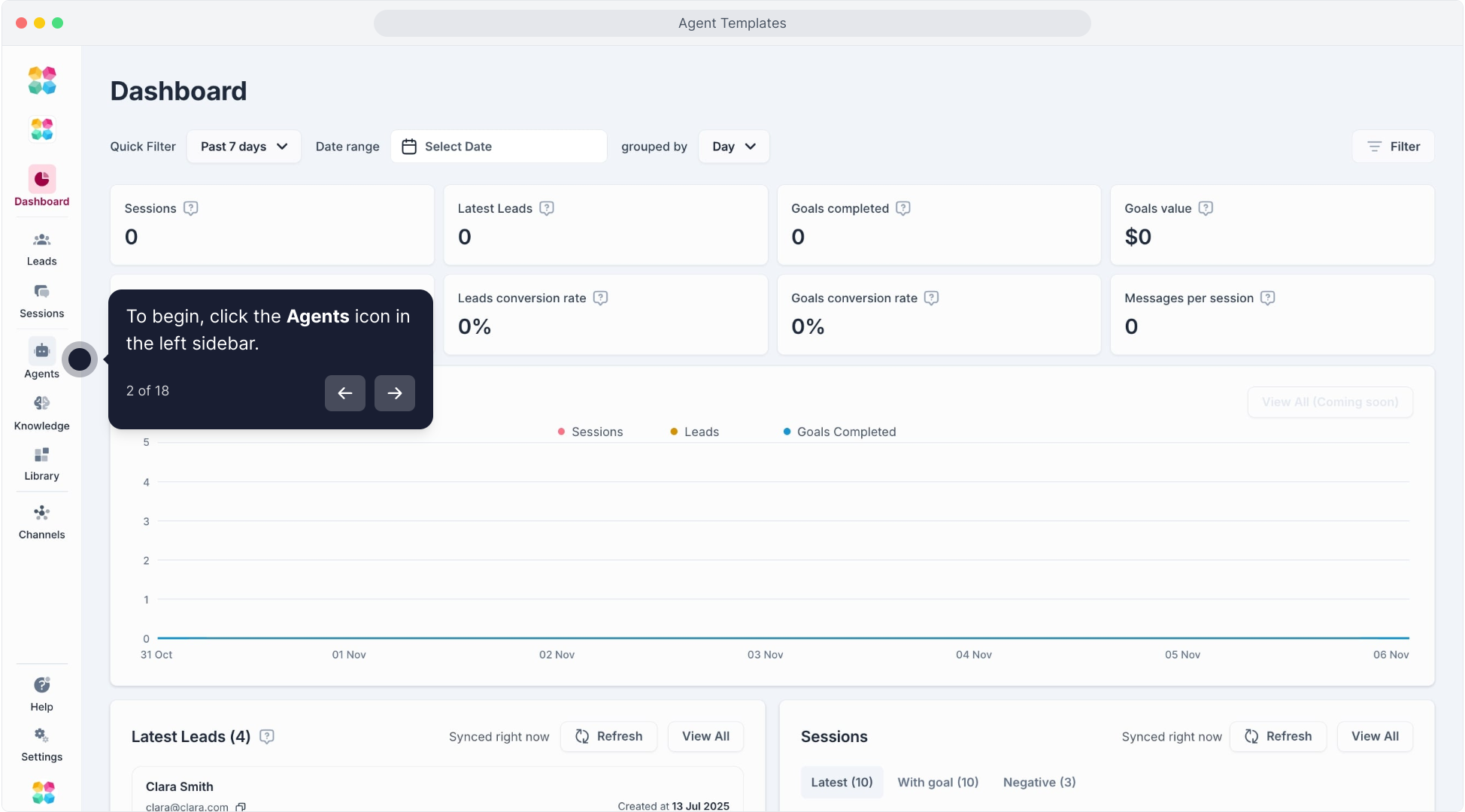
Select Create New.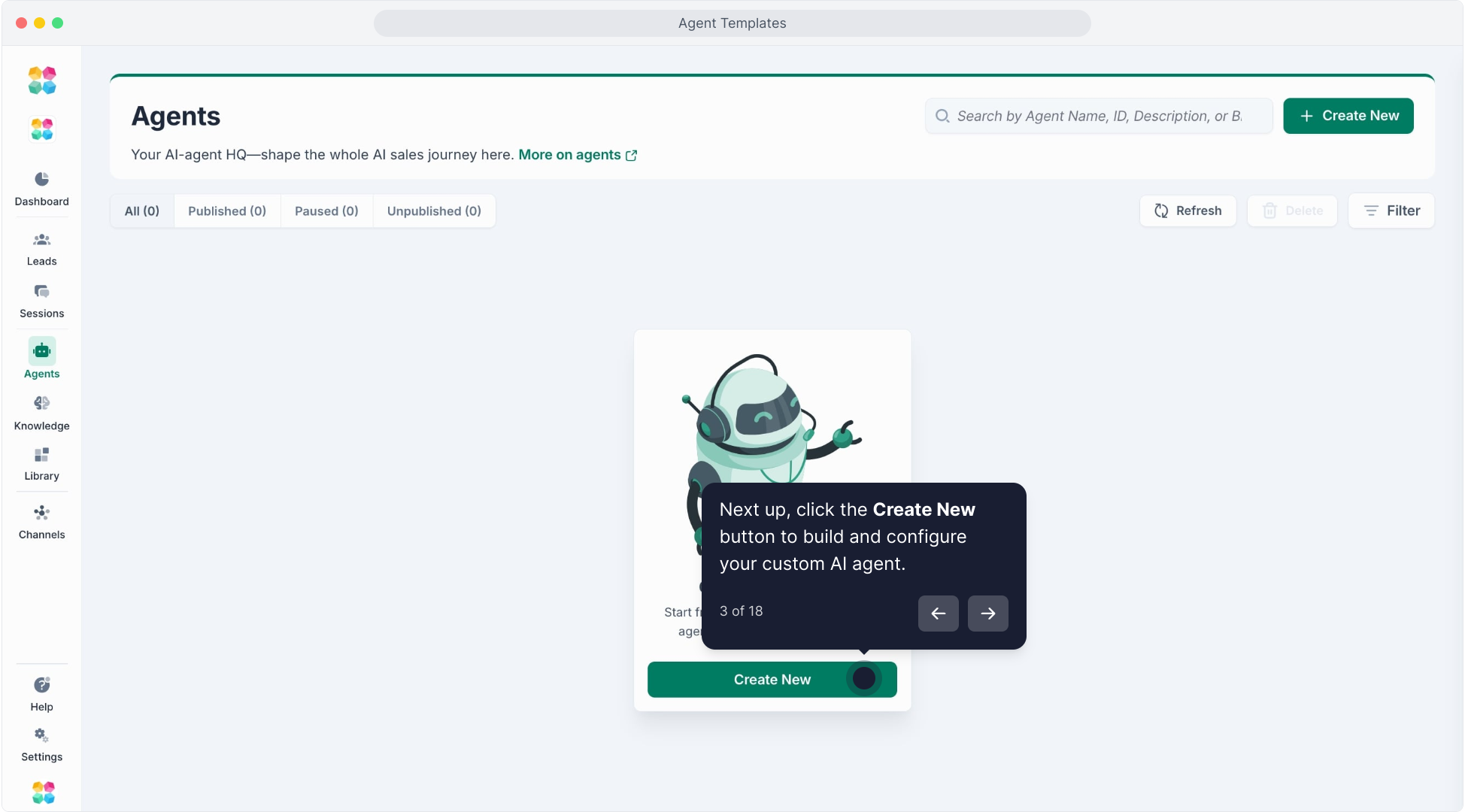
Choose Quick Agent Setup.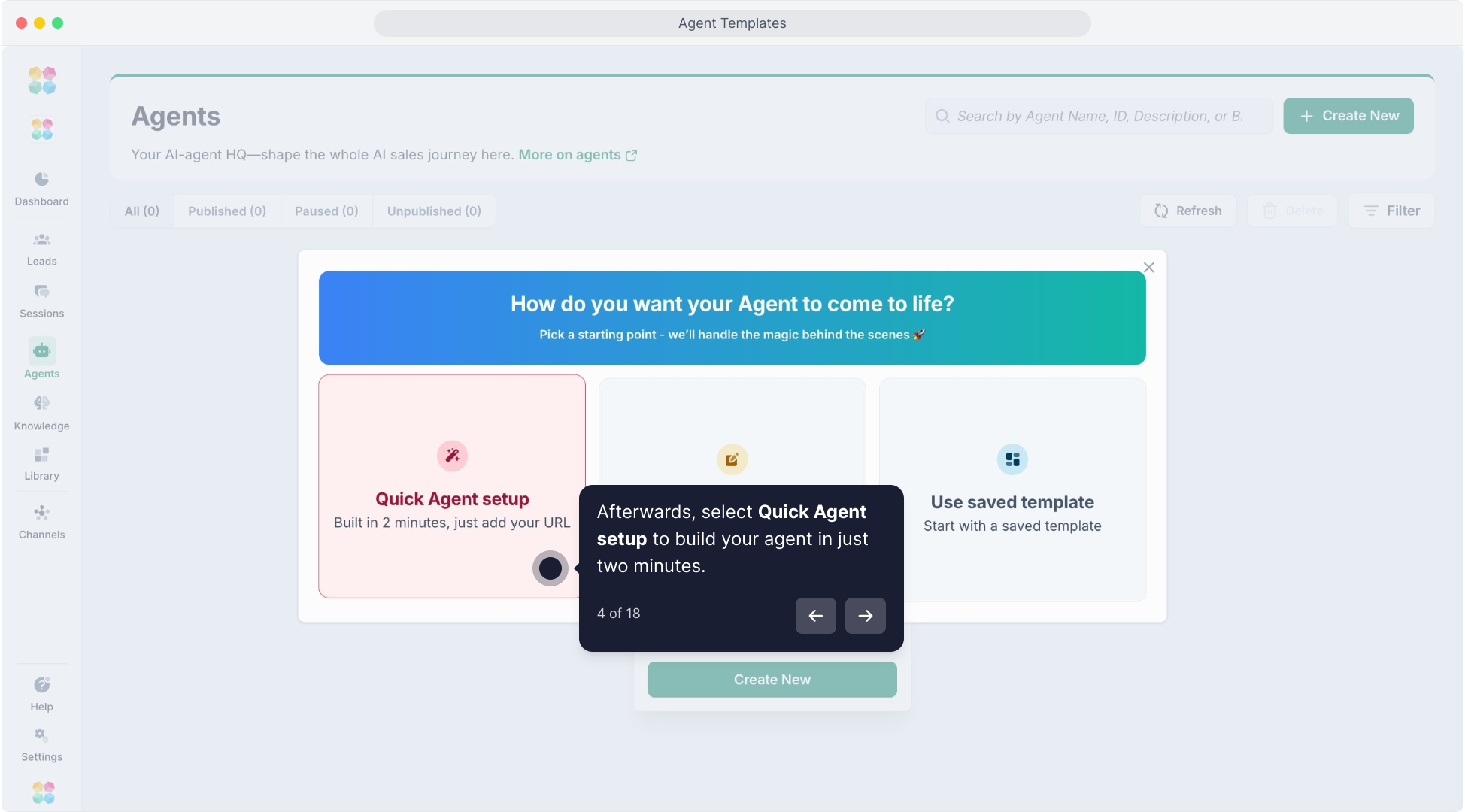
You’ll see the Select Your AI screen.
Step 2 — Drop Your Website URL
Input your website URL.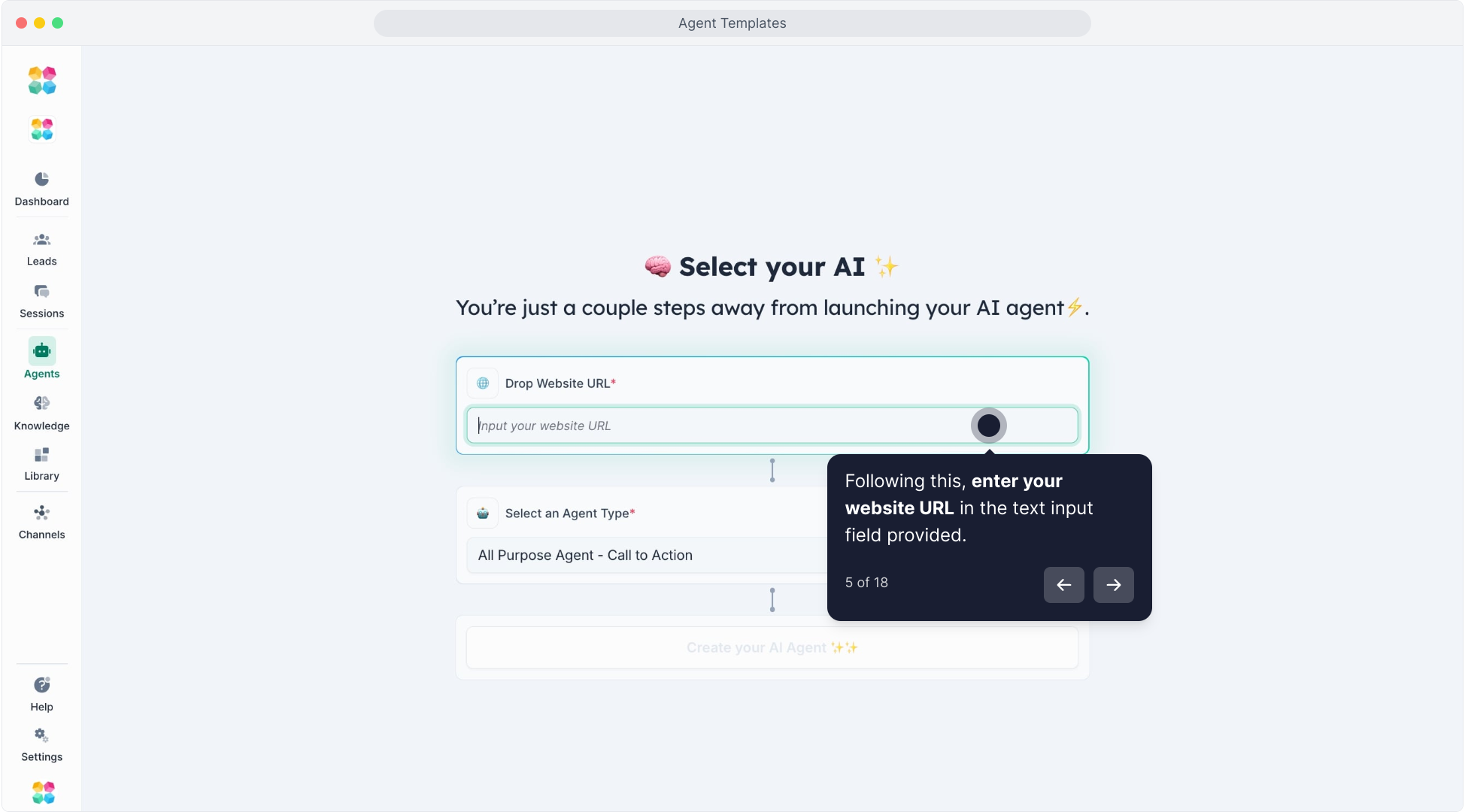
MagicBlocks will automatically crawl your site to extract key content for your Agent’s Knowledge base.
Step 3 — Select an Agent Type (Template)
Under Agent Type, select a template that fits your use case.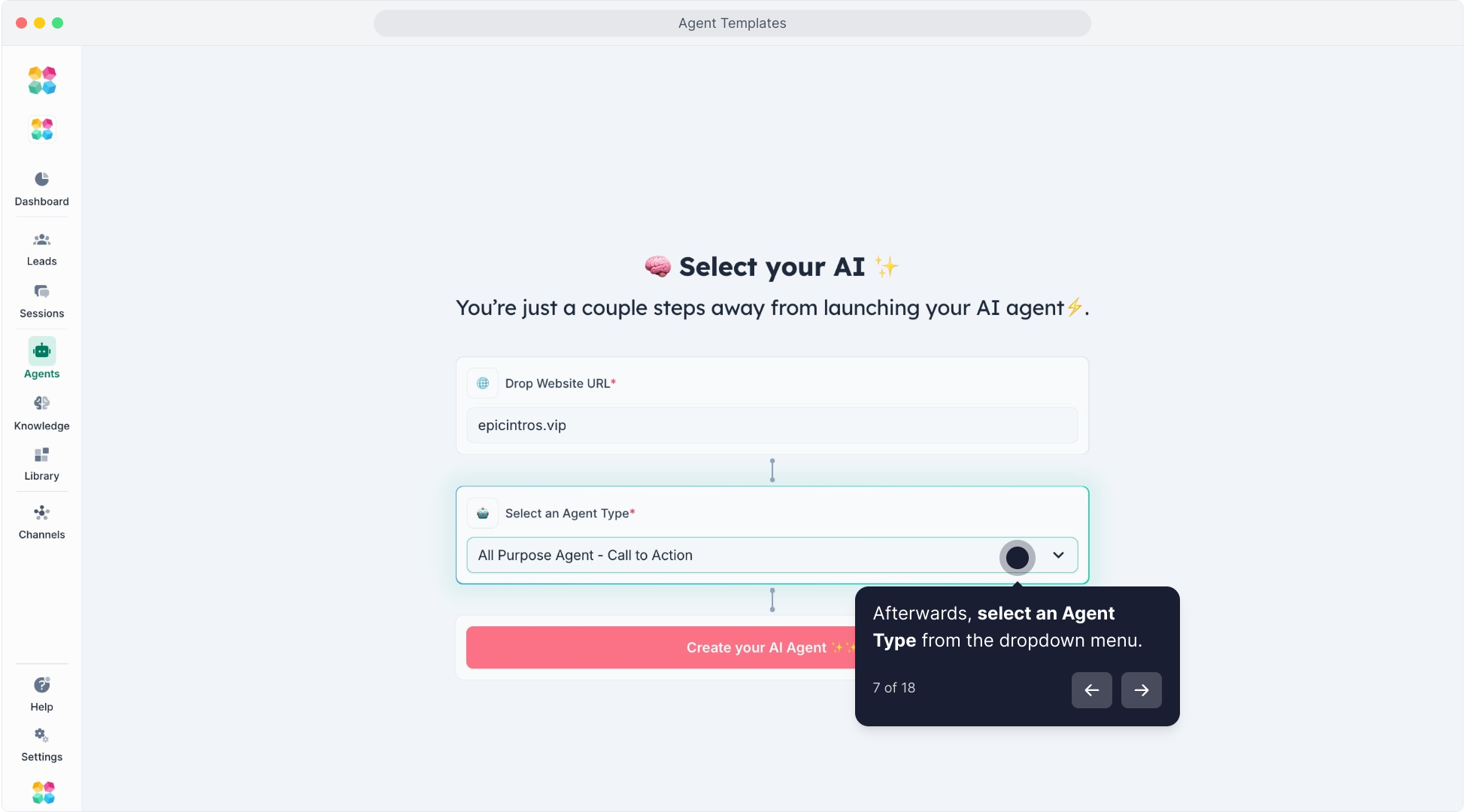
Each one includes a tailored journey, tone, and logic.
Template | Ideal For | Goal |
|---|---|---|
All Purpose Agent – Call to Action | General business sites | Drive users to a main CTA (e.g., sign up, book a call) |
All Purpose Agent – Collect Contact Info | Sales & support teams | Capture and qualify contacts |
Automotive Test-Drive Request | Car dealerships | Guide users to book test drives |
Elective Medical / Aesthetic Clinic | Medi-spas, clinics | Capture consultation contacts |
Fertility / IVF Clinic Booking | Medical clinics | Qualify and book patient consultations |
Financial Advisory Call | Financial planners | Schedule free consultations |
Gym / Fitness Tour & Trial | Gyms & studios | Book trial sessions |
Healthcare Booking | Healthcare providers | Book appointments |
Higher-Ed / Course Enrollment | Education providers | Capture student interest |
Home-Services Quote | Home service businesses | Provide quick service quotes |
Hotel Booking | Hotels & resorts | Capture booking requests |
Insurance Quote & Claims | Insurance providers | Quote and claims automation |
Legal Consultation Intake | Law firms | Schedule free consultations |
Mortgage Agent (US / AU) | Brokers & lenders | Generate and qualify mortgage contacts |
Moving Services Quote | Moving companies | Provide quotes and capture client info |
Pet Grooming Booking | Pet service providers | Schedule appointments |
Real Estate Agent | Realtors & agencies | Capture property and buyer contacts |
SaaS Product Demo | Software companies | Request product demos |
Solar / Home Energy Quote | Solar providers | Collect quote requests |
Travel Agent Quote | Travel agencies | Handle travel inquiries |
Venue / Event-Space Booking | Event organizers | Capture event bookings |
Each template includes a prebuilt Journey using HAPPA framework — Hook, Align, Personalize, Pitch, Action.
Step 4 — Click Create My AI Agent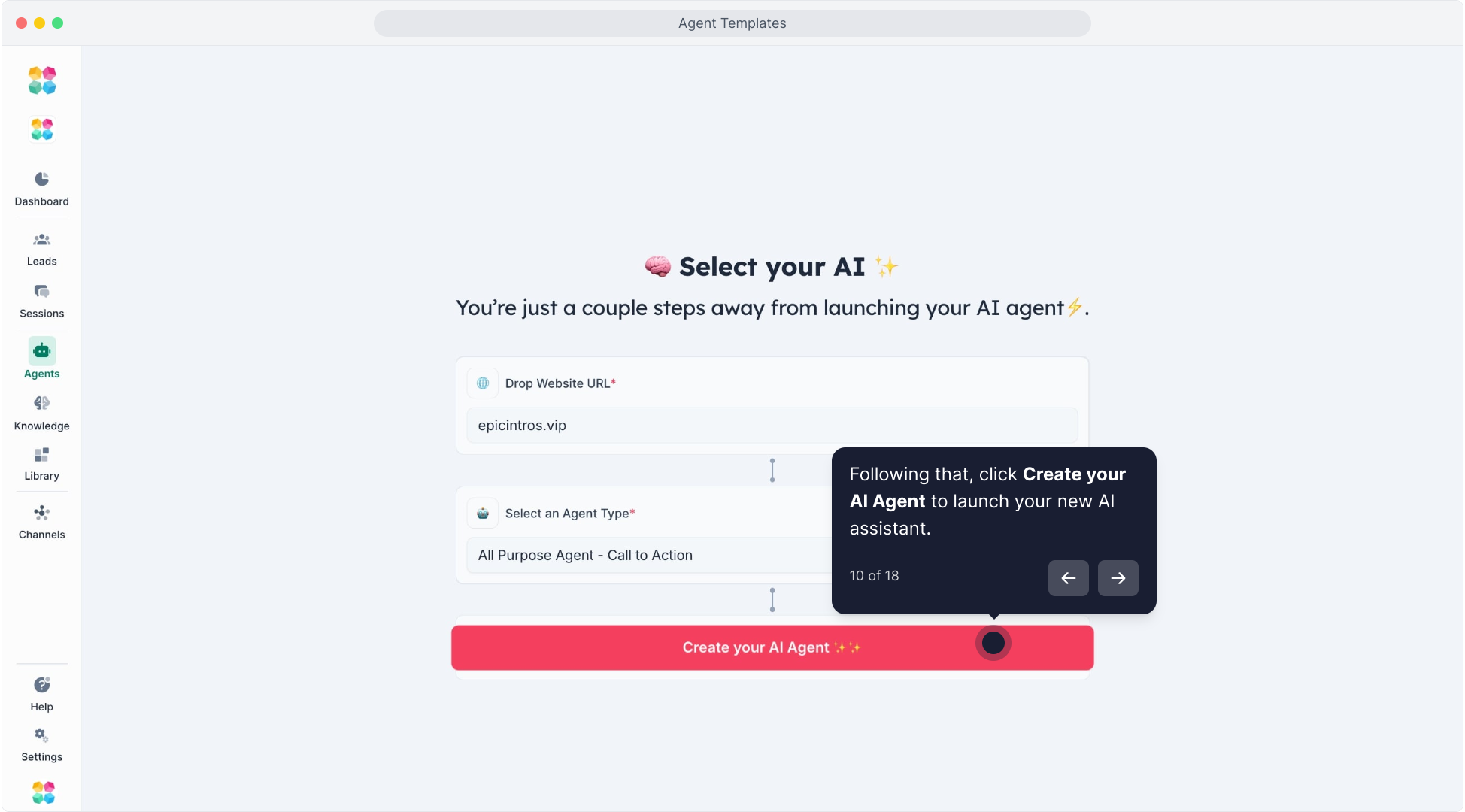
Once selected, MagicBlocks automatically builds your Agent with:
Preloaded HAPPA conversation flow
Set Persona and tone
Built-in Key Facts and Knowledge
Your new Agent will appear under the Agents list.
Create and Save Your Own Template
You can also turn any of your Agents into a reusable Template — perfect for agencies or repeat builds.
Go to Agents and select an existing Agent.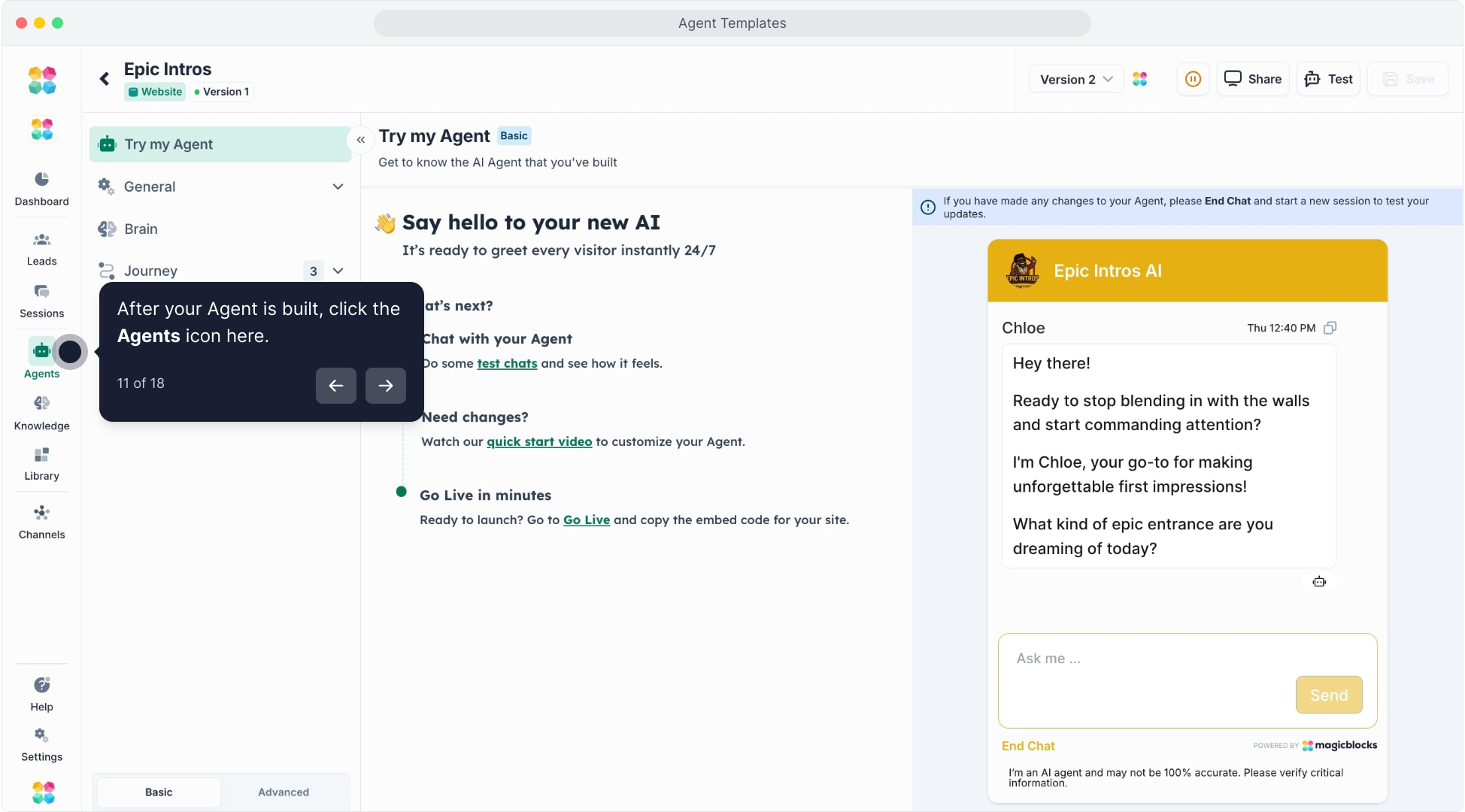
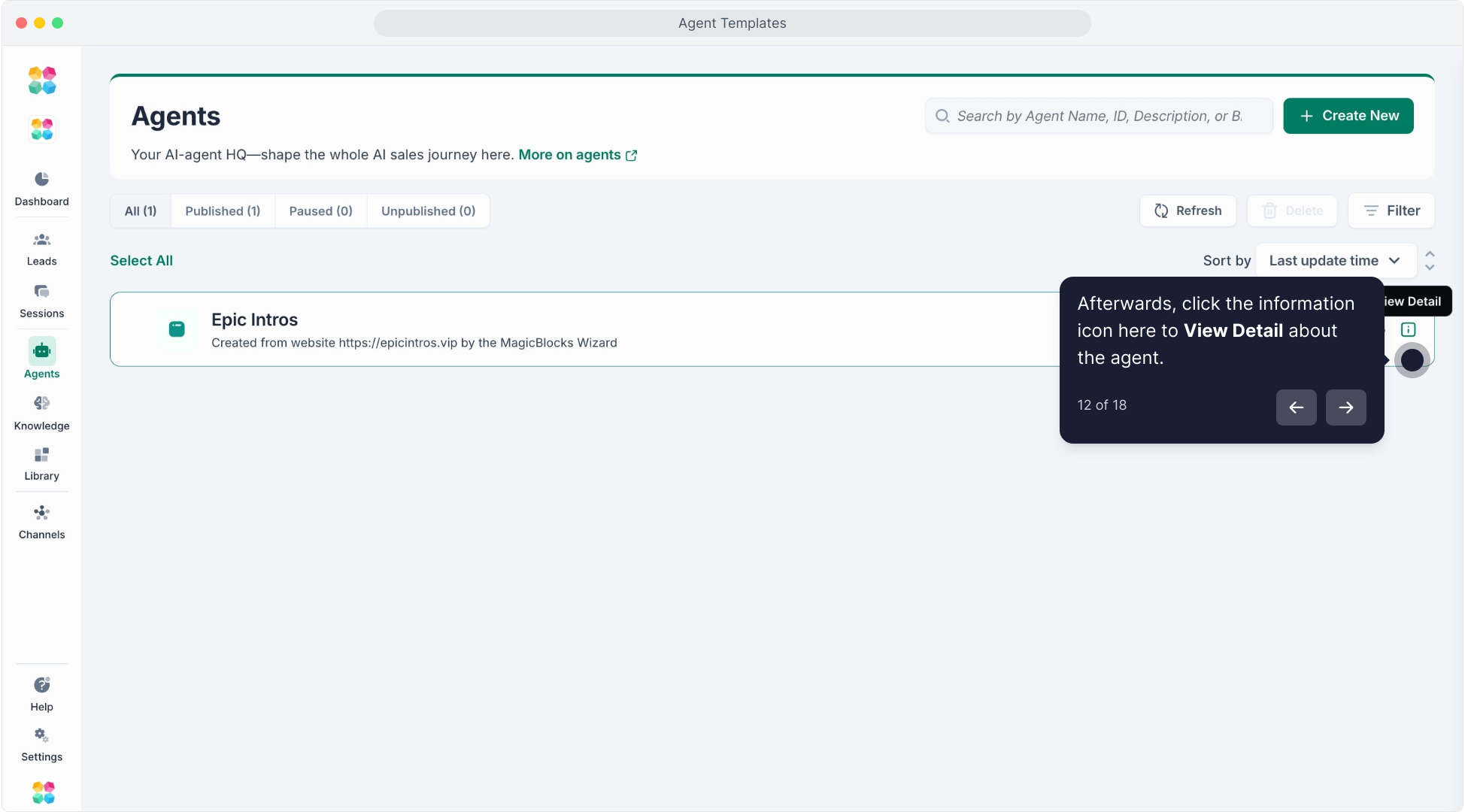
On the right-hand panel, click Save as Template.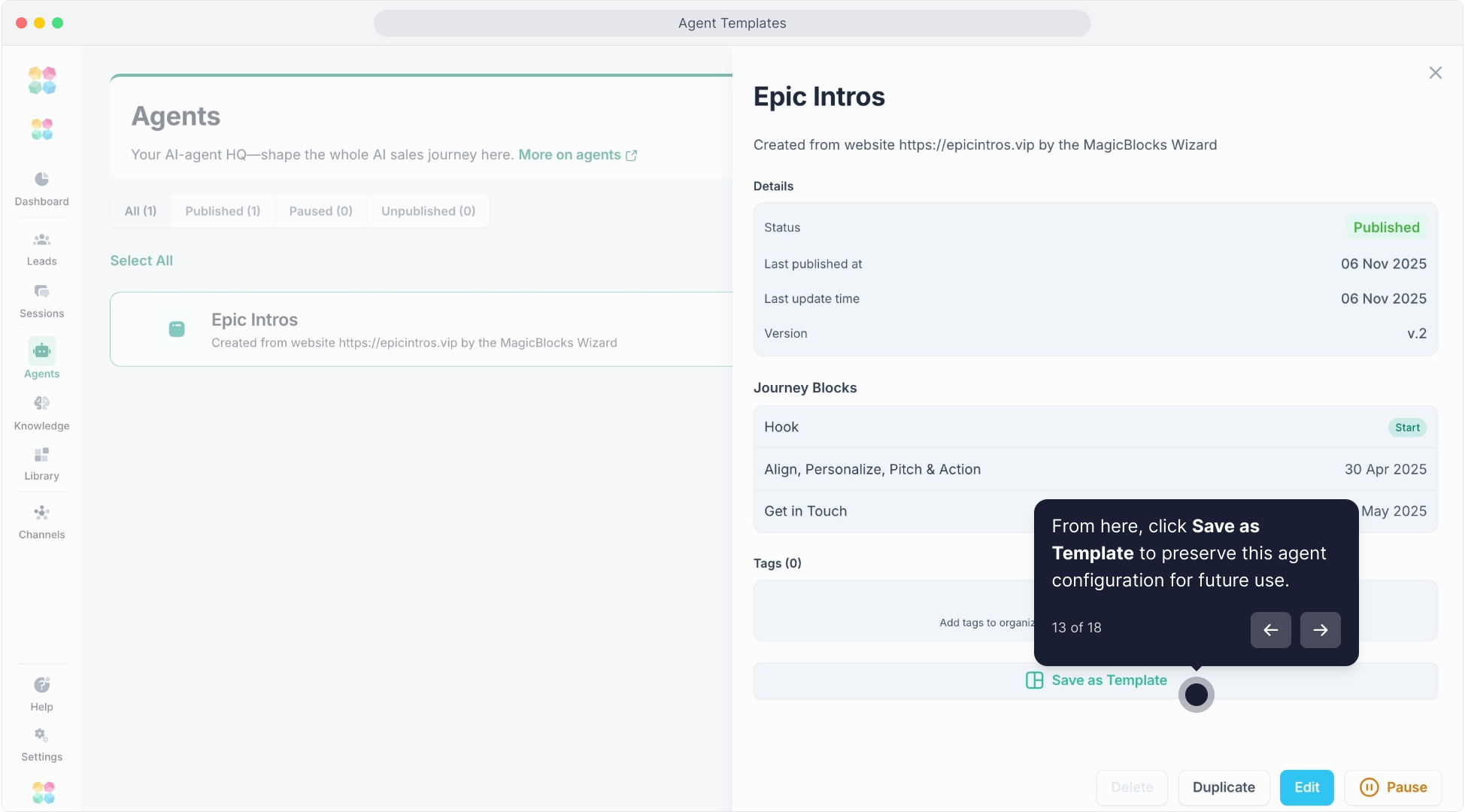
Fill out the template details:
- Image: Add a logo or visual reference.
- Name: Give your template a clear, descriptive name.
- Tags: Organize by niche or use case (e.g., “Healthcare”, “LeadGen”).
- Template Summary: Briefly describe what it does (max 250 chars).
Click Create Template.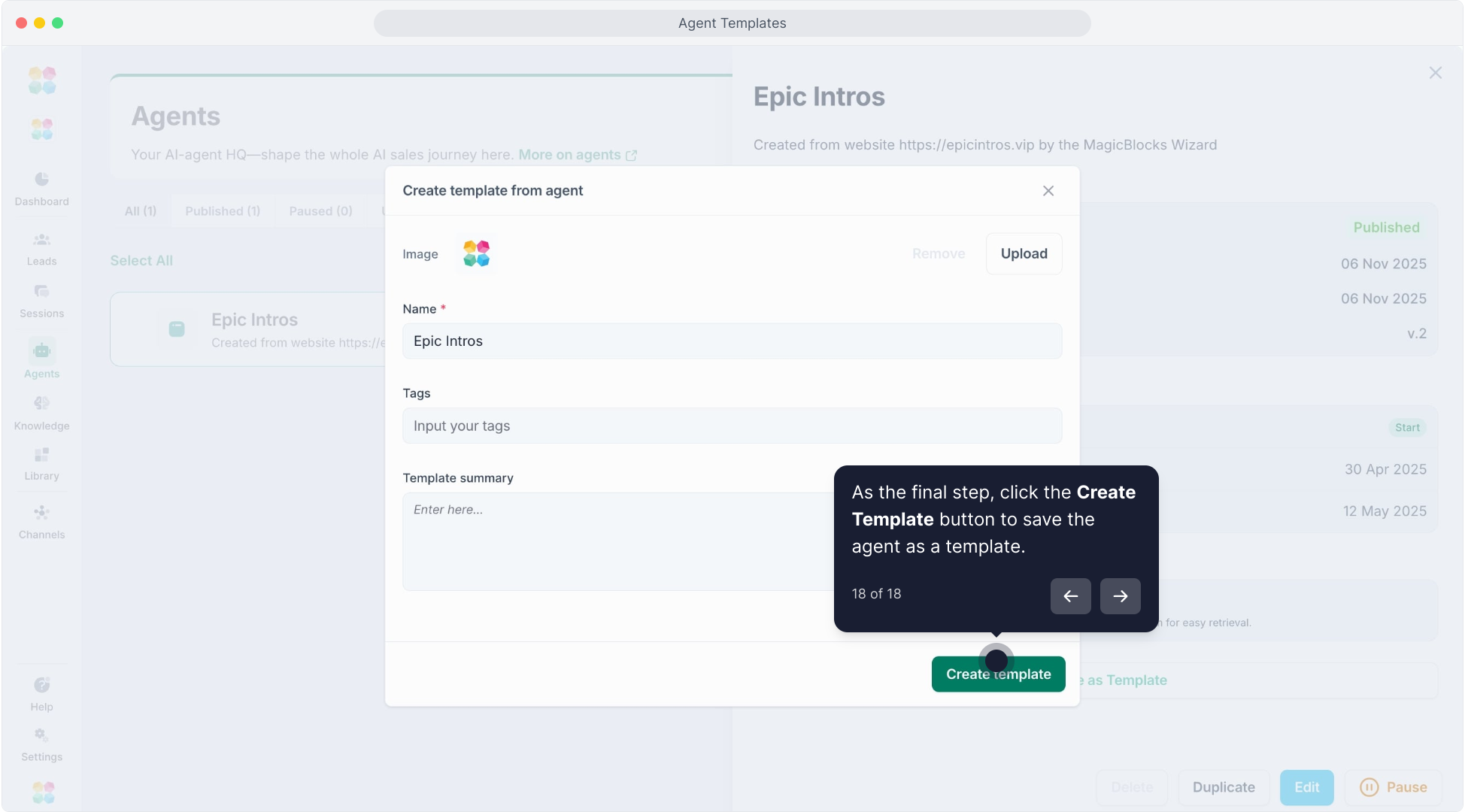
Your custom template will now appear when you select 'Use Saved Template' when you're creating a new Agent.
Example
Building a Real Estate Sales Agent
| Journey Block | Purpose | Example Interaction |
|---|---|---|
Hook | Capture attention and greet visitors | “Hey there 👋 Looking for a property in a specific area?” |
Align | Understand user’s intent or interest | “Got it! Are you buying, renting, or just exploring?” |
Qualify | Gather essential Key Facts to segment the contact | “Can I ask your preferred location, budget range, and when you plan to move?” |
Personalize, Pitch & Action | Recommend relevant listings and guide toward next step | “Based on your budget and location, here are some great options! Would you like me to connect you with an agent?” |
Get in Touch | Capture contact details and trigger contact handover | “Great! What’s your best email or phone number so our property expert can reach out?” |
You can duplicate, edit, or turn this into a custom template for new real estate clients.
Watch the video tutorial here:
FAQs
Q: Can I edit templates after creation?
Yes. Every template-generated Agent is fully editable — from Persona to Journey.
Q: What is the HAPPA Framework?
It’s MagicBlocks’ proven 5-stage conversational selling model:
Hook → Align → Personalize → Pitch → Action — optimized from $200M+ lead generated.
Q: Can I monetize templates?
Soon! The upcoming MagicBlocks Marketplace will let builders sell their Agent templates directly.
Related
Agents: Create Your First AI Agent
Journey Blocks 101: How MagicBlocks Powers Smart Conversations
Persona: Define Your AI’s Voice
Knowledge: Feed Information to Your Agent
Actions: Setting Smart Automation