
Connections
Connections let your AI Agents link with external apps and services. Instead of building each integration manually, you can simply connect your MagicBlocks workspace to popular tools like Zapier, Twilio, Calendly, Google Analytics, HubSpot, and more, all from one place.
The Connections section under Library → Connections allows you to manage third-party integrations for your AI Agents. Each connection expands your Agent’s capabilities — giving it the ability to:
- Send messages (via SMS or email)
- Automate workflows
- Book meetings
- Track goals and conversions
- Capture contacts into your CRM
- Access files or analytics data
How to Access Connections
From the left sidebar, go to Library → Connections.
You’ll see all available integrations categorized under:
- Third-party Integrations
- Analytics Platforms
- CRM Platforms
Click Connect beside the platform you want to link.
Available Integrations
Here’s a breakdown of all current and upcoming connections supported by MagicBlocks:
Third-party Integrations
Zapier
- Integrate your AI Agents with over 6,000+ apps through Zapier’s automation platform.
- Automate workflows like contact capture, CRM updates, or data sync.
- Use Zaps to push Agent data into your favorite tools — like Slack, Notion, Airtable, or Google Sheets.
- Easily trigger workflows when a goal is completed, a form is submitted, or a session ends.
How to connect:
Click Connect next to Zapier.
Follow the authentication steps in the pop-up window.
Once connected, you can use the MagicBlocks Zapier integration to build workflows.
Reference: MagicBlocks + Zapier Integration Guide
Calendly
- Allow your AI to book meetings or appointments directly within conversations.
- Connect your Calendly account to give your AI access to your meeting calendar.
- When users request a demo or appointment, your Agent can display your available slots and confirm bookings instantly.
How to connect:
Click Connect beside Calendly.
Sign in with your Calendly credentials.
Once connected, you can assign Calendly-related Functions or Tasks to your AI.
Twilio
- Enable your AI to send and receive SMS messages by connecting your Twilio account.
- Build SMS-based AI agents using MagicBlocks.
- Automate text notifications, confirmations, or follow-ups.
- Combine with Zapier or Functions to trigger multi-channel workflows.
How to connect:
Click Connect next to Twilio.
Provide your Twilio Account SID and Auth Token.
Save and test the integration.
Email Connections (Coming Soon)
You’ll soon be able to connect your email service provider to MagicBlocks, enabling your AI Agents to:
- Send follow-up emails to contacts
- Deliver personalized messages directly from your domain
- Log email activities in your CRM
Google Drive
Access your Drive files directly from MagicBlocks to support AI learning or knowledge retrieval.
- Import documents, sheets, and PDFs as Knowledge sources.
- Let your AI reference or summarize content from connected Drive files.
- Keep documents synced and always up to date.
How to connect:
Click Connect beside Google Drive.
Choose the Google account you want to link.
Grant MagicBlocks access permissions.
Once connected, you’ll see your Drive files available in Knowledge → Files.
Analytic Platforms
Google Analytics
- Connect Google Analytics to track AI performance, interactions, and goals — directly from your website.
- Measure engagement, user sessions, and goal completions from your AI widget.
- Analyze how users interact with your AI across your digital channels.
- Use it to improve customer journeys and marketing ROI.
How to connect:
Click Connect beside Google Analytics.
Add your GA4 Measurement ID or tracking credentials.
Once active, data from MagicBlocks sessions will automatically flow to your Analytics dashboard.
Learn more: Track MagicBlocks AI Goals in Google Analytics
CRM Platforms
HighLevel
- Integrate HighLevel CRM to streamline your sales and contact management.
- Automatically capture contacts from AI conversations.
- Sync user contact data and notes to HighLevel pipelines.
- Use connected Tasks and Functions to update contacts or trigger automations.
How to connect:
- Click Connect beside HighLevel.
- Enter your HighLevel API key.
How to Find Your HighLevel API Key
Your API Key is what connects MagicBlocks to your HighLevel account. Here's where to find it:
Log into HighLevel
→ Visit your workspace at gohighlevel.com
Go to Settings
→ Bottom left panel
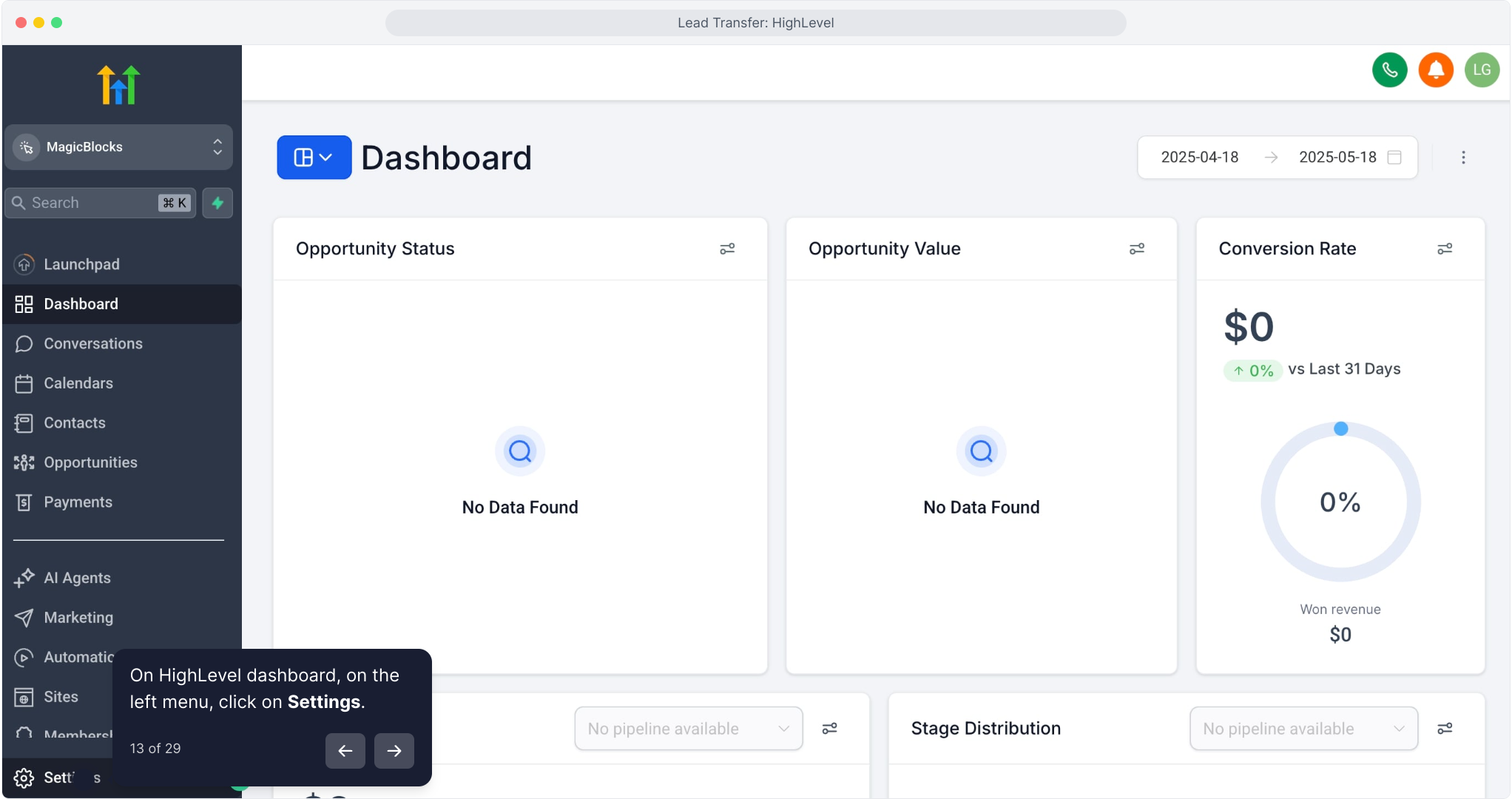
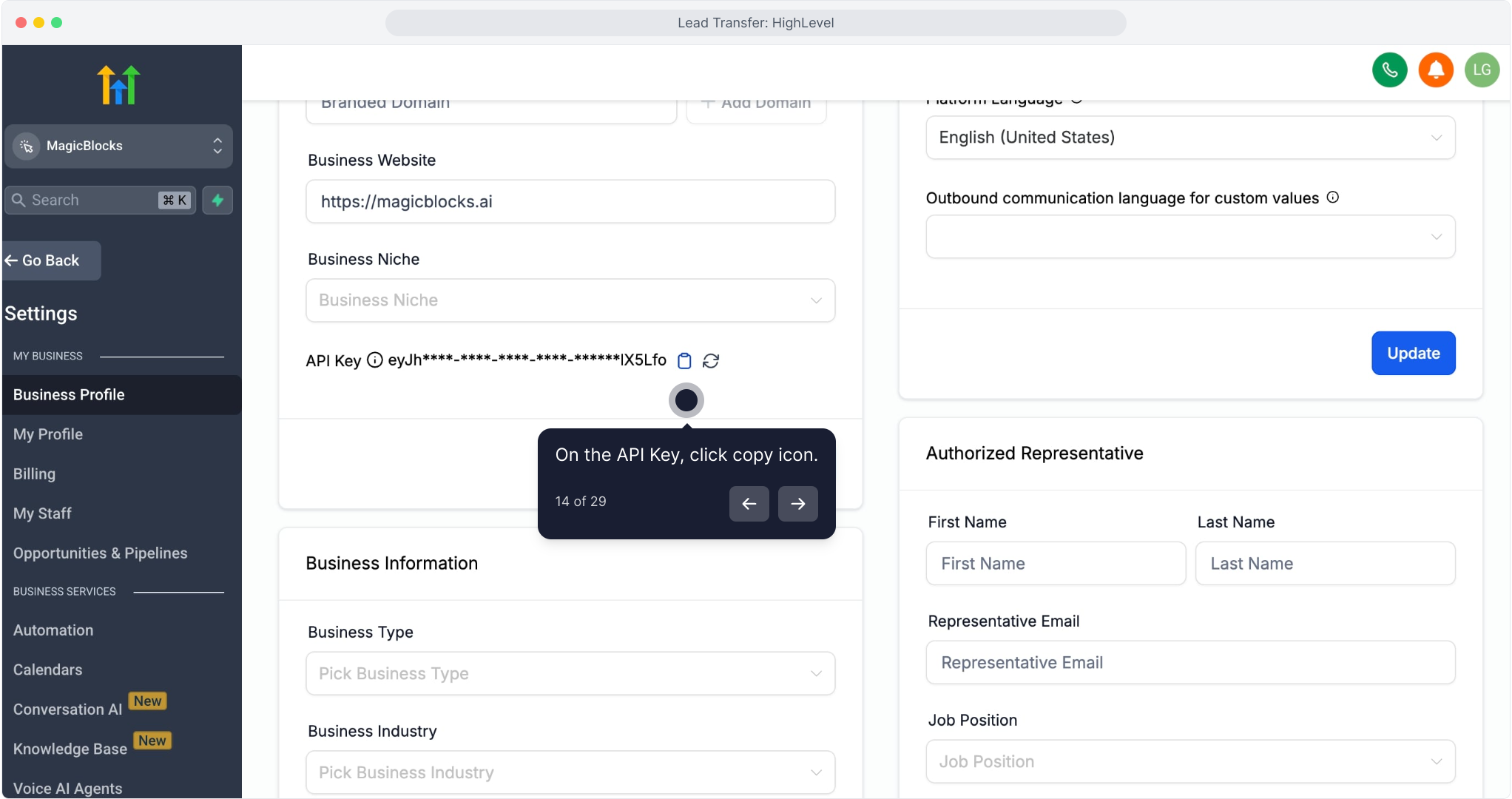
Click Business Profile
Scroll to the top section labeled API Key
Copy the key
→ It starts with eyJ...
4. Paste the API Key into MagicBlocks
Give your connection a name (e.g., "HighLevel Sales")
Paste the API Key
Click Connect
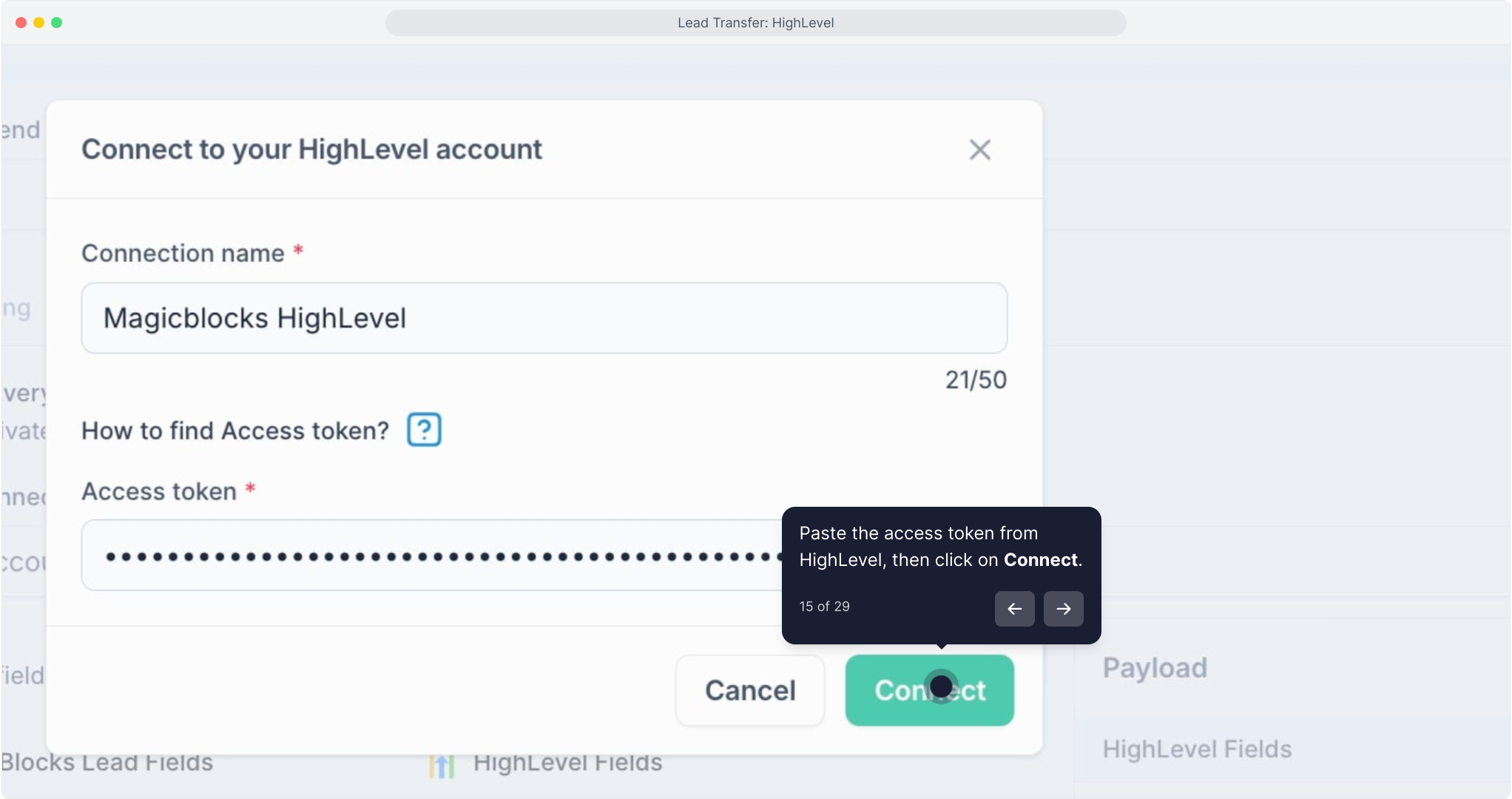
Once linked, you can send contact data directly from your AI.
HubSpot
- Seamlessly integrate with HubSpot CRM to centralize your contact data and automate workflows.
- Capture contact details, chat summaries, and meeting bookings.
- Update deals and lifecycle stages automatically.
- Combine with Tasks and Functions for complete automation.
How to connect:
Click Connect beside HubSpot.
Authorize MagicBlocks to access your HubSpot workspace.
Assign this integration to Agents or Functions to push data directly into HubSpot.
How Integrations Work
Each connection enhances what your AI can do:
Integration | Enables your AI to... |
|---|---|
Zapier | Trigger automations across 6,000+ apps. |
Calendly | Book meetings directly in chat. |
Twilio | Send and receive SMS messages. |
Google Drive | Access documents and knowledge. |
Google Analytics | Measure user activity and AI goal conversions. |
HubSpot / HighLevel | Sync contacts and contacts into your CRM. |