
Brain
The Brain is the active intelligence layer of your AI Agent — it’s where all the knowledge types (General Knowledge, Playbook Knowledge, and Google Drive Knowledge) come together, get interpreted, and power real-time responses.
You can think of it like this:
Component | Purpose |
|---|---|
Knowledge | The raw data your AI learns from — facts, FAQs, playbooks, and connected documents. |
Brain | The engine that reads, organizes, prioritizes, and uses that data to generate accurate, brand-aligned answers. |
So while Knowledge is where you upload and categorize your content,
the Brain is what makes that content usable and dynamic during conversations.
How It Works Together
When you add Knowledge to your AI Agent, it’s stored in one of three main collections:
1. General Knowledge
The foundation — this is your Agent’s broad understanding of your business.
It includes website pages, uploaded documents, articles, Google Drive files, and FAQs.
Used for: factual and informational replies like
“What services do you offer?”
“Where are you based?”
“How does your process work?”
2. Playbook Knowledge
The sales and persuasion layer.
It teaches your AI how to sell, not just answer questions.
This includes:
- Benefits
- Objection handling
- Emotional drivers
- Social proof
- Discovery questions
- CTAs
Used for: goal-driven interactions, like
“Why should I choose you?”
“It’s too expensive.”
“Can I get a discount?”
Your Playbook Knowledge feeds the Brain with structured conversational intent — so the Agent can adapt its tone and responses to close contacts or overcome objections naturally.
3. Google Drive Knowledge
This lets your AI tap into your company’s live documents via Google Drive integration — meaning your Brain can access real-time, auto-synced data from approved files (like pricing sheets, case studies, or updated FAQs).
Used for: teams that want the AI to stay updated without manually re-uploading files.
Where the Brain Fits In
Once all three knowledge types are connected, the Brain:
- Indexes and prioritizes what’s most relevant to your Agent.
- Understands context — it knows whether to pull from Playbook tone or General Knowledge facts.
- Combines information — e.g., it can use pricing data from Drive plus an objection-handling script from your Playbook.
- Delivers dynamic responses — accurate, human-like, and on-brand.
In short:
The Brain is the intelligence layer that brings your Knowledge to life.
It decides what to say, how to say it, and when.
Where to Find It in MagicBlocks
Inside your Agent dashboard:
- Click Brain on the left sidebar.
- You’ll see the connected Knowledge types (General, Playbook, Google Drive).
- You can manage Priority Knowledge, Benefits, and Objection Mitigation here.
- This is also where you retrain the AI when Knowledge sources change.
What You’ll Find Inside
Here’s what each section of the Brain page covers:
1. Basic Info
Define your Agent’s identity and core data: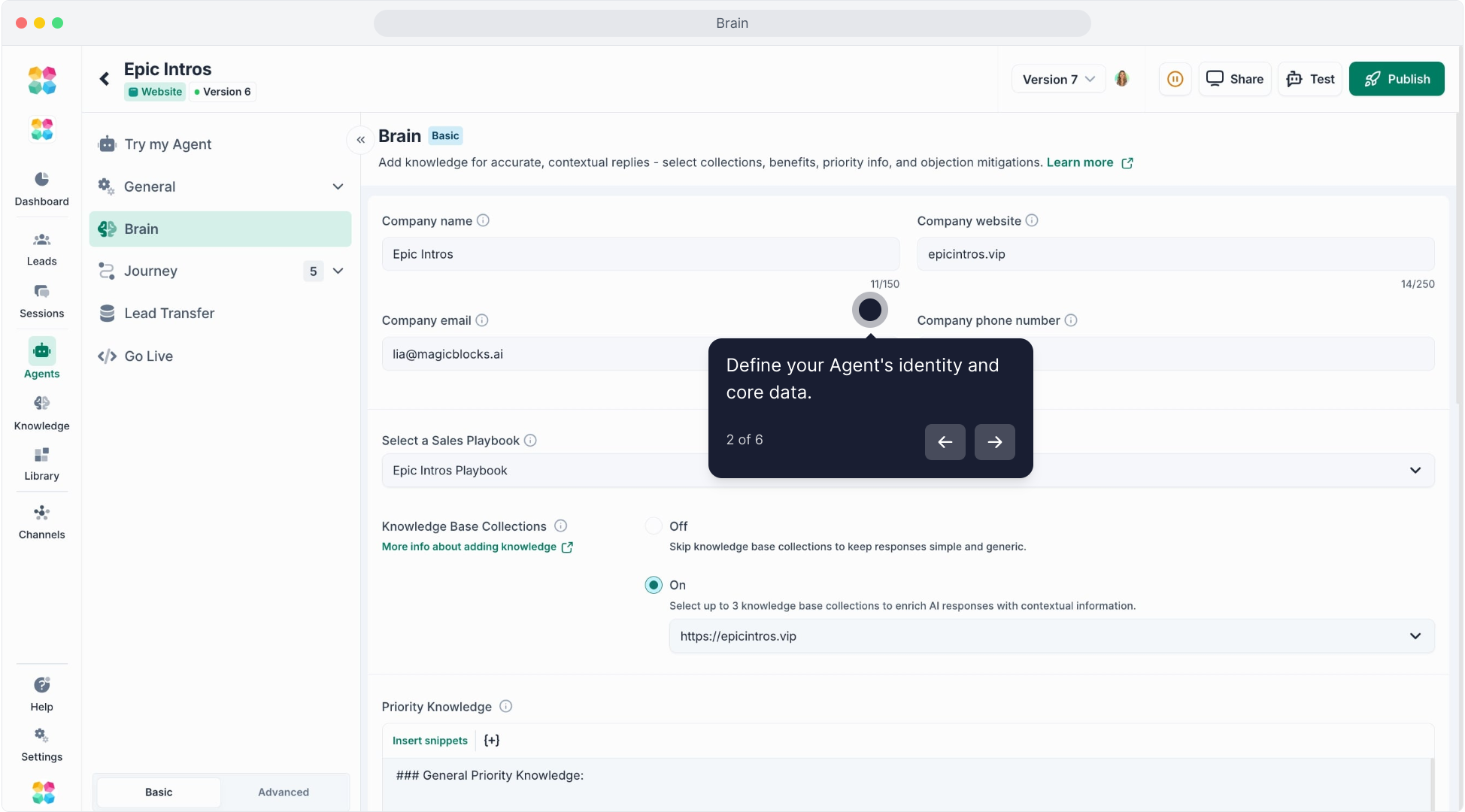
Company Name, Website, Email, and Phone Number
This information is used to personalize responses (e.g. “You can reach us at...”).
Select a Sales Playbook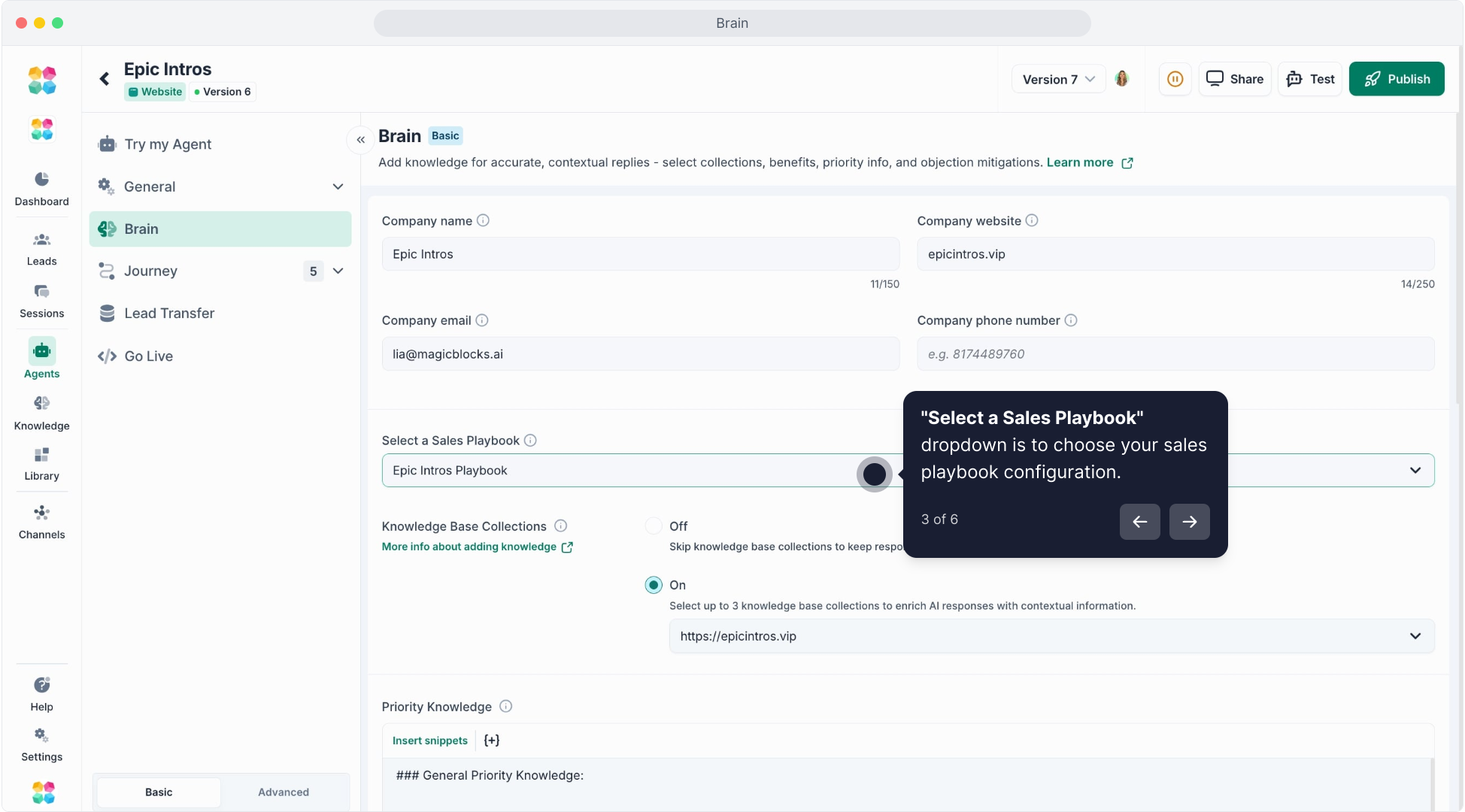
Choose which Playbook to connect. The Playbook shapes tone, persuasion, and objection handling.
Knowledge Base Collections
Toggle ON to connect up to 3 Knowledge Collections.
These Collections give your Agent contextual understanding about your products, pricing, FAQs, or company details.
Example:
https://epicintros.vipKnowledge base used for “Epic Intros” Agent.
2. Priority Knowledge
Key facts your AI should always know — the highest priority data that anchors every conversation.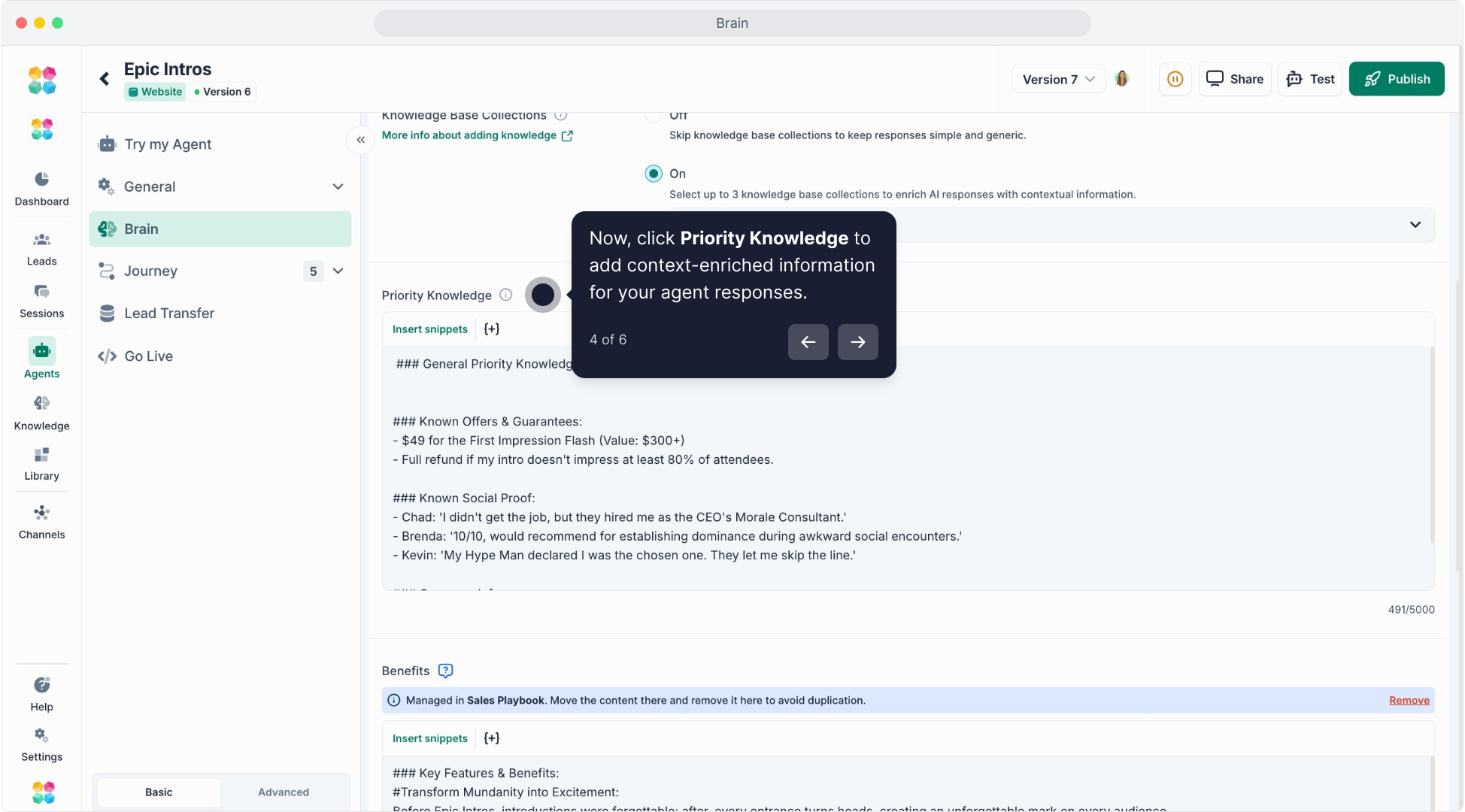
Use this section for:
- Company background
- Offers and guarantees
- Key product details
- Social proof (testimonials or results)
Pro Tip: Keep it short and high-impact. This is the first layer of knowledge your AI references before pulling anything else.
3. Benefits (Managed in Sales Playbook)
The most persuasive part of your Agent’s responses — what makes your product or service valuable.
Include benefits that speak directly to results or emotions your customers care about.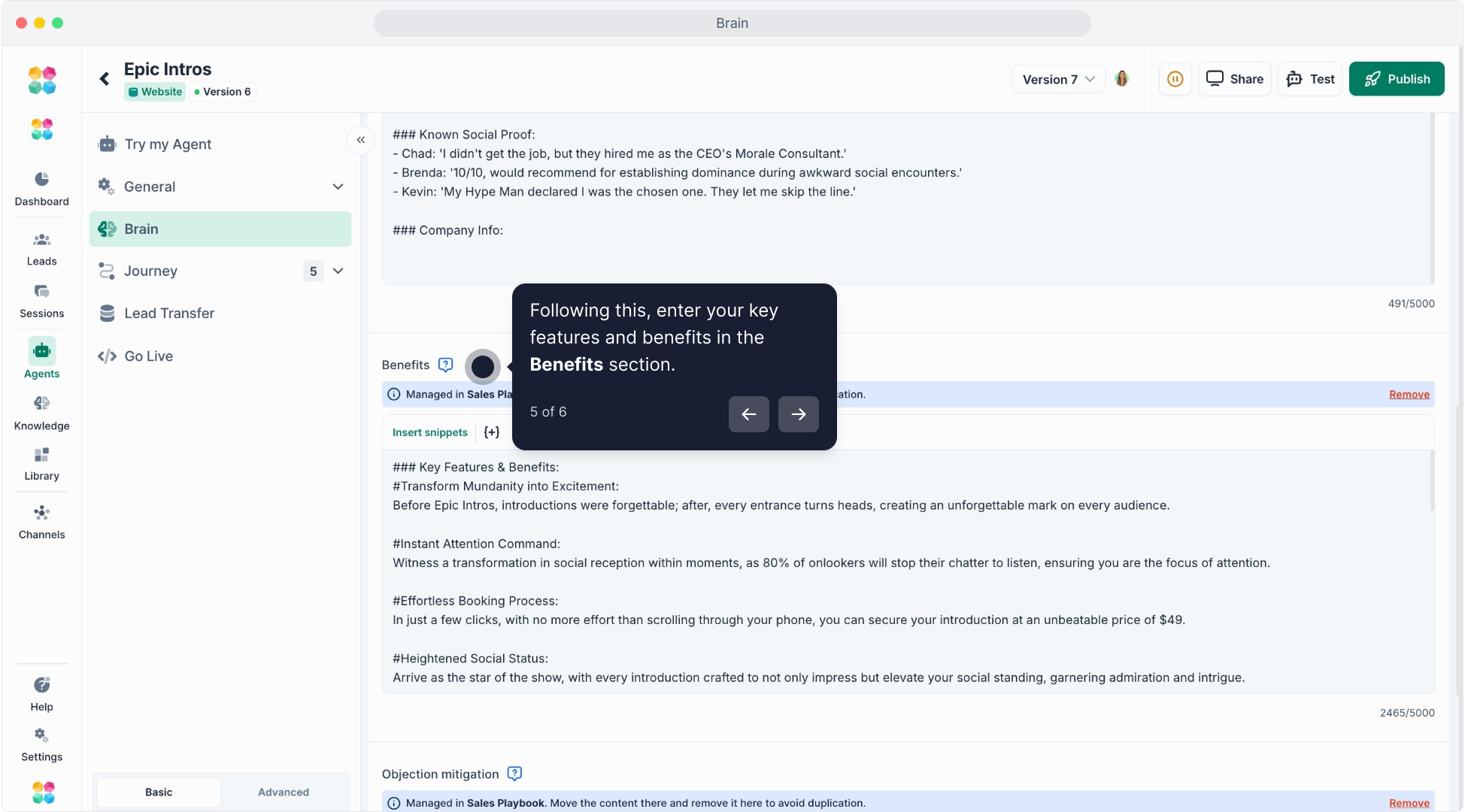
Example from “Epic Intros”:
Transformative Presence: Shift from feeling invisible to commanding attention.
Instant Impact: Experience audience reactions instantly.
Value-Packed Affordability: Receive services worth $300+ for $49.
If your Playbook is connected, benefits will auto-sync from it. Avoid duplication by managing benefits inside the Sales Playbook tab.
4. Objection Mitigation (Managed in Sales Playbook)
Train your AI to handle common concerns confidently and naturally.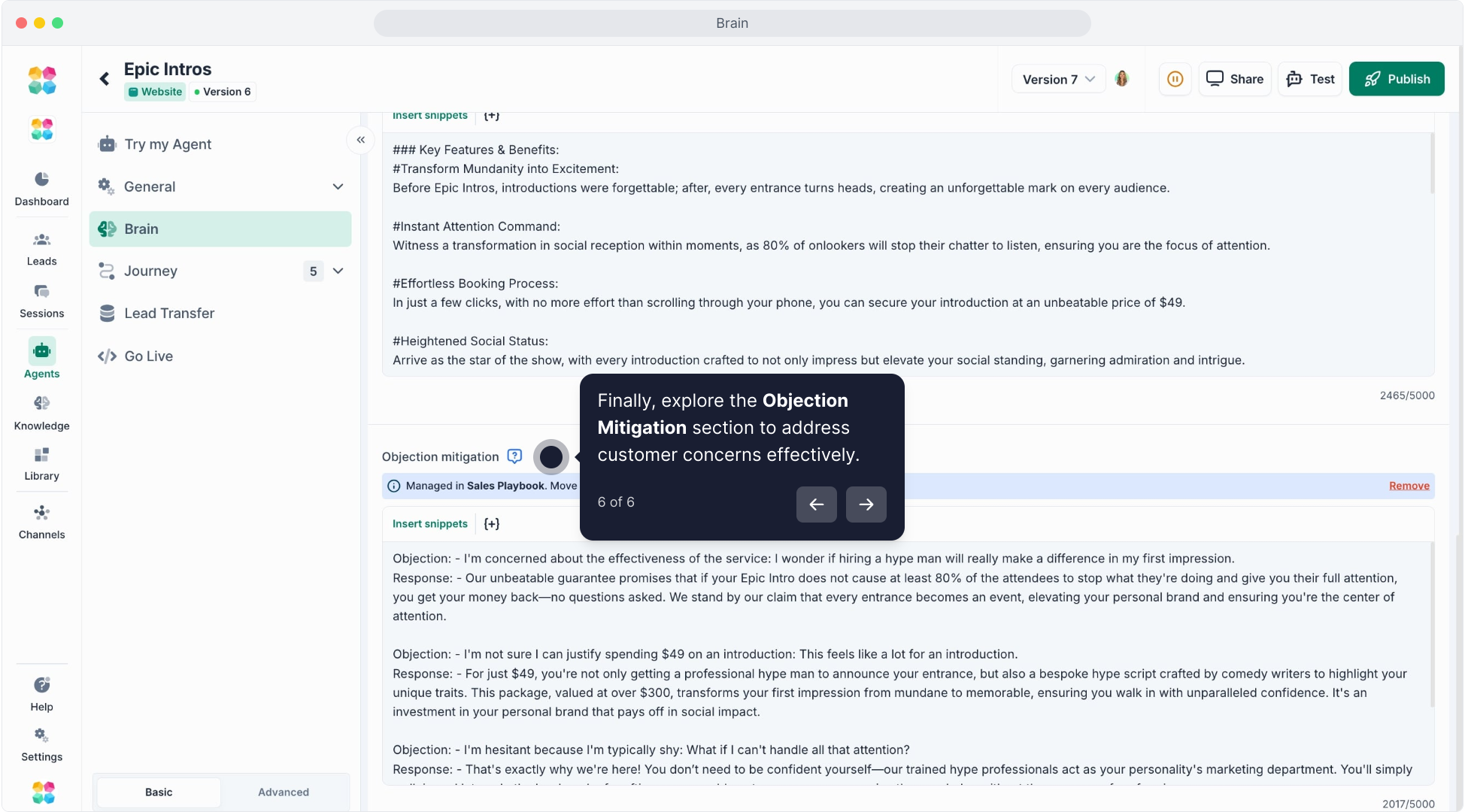
Use this section to provide “Objection → Response” pairs.
Example:
Objection: “$49 seems too cheap to be real.”
Response: “We understand that might raise eyebrows — but you’re getting a $300 service with a guarantee of measurable results.”
These are the “confidence builders” that turn hesitant users into ready buyers.
If a Playbook is attached, these responses will be managed automatically inside it.
About Benefits & Objection Mitigations
When you create an Agent using the Quick Agent Setup, MagicBlocks first gathers core information into Priority Knowledge — this becomes the Agent’s foundational understanding.
As you begin building and managing your Sales Playbook, the Brain will also populate additional sections like Benefits and Objection Mitigations.
These come from the Playbook, not from the website scan.
This means your Brain grows in layers:
- Priority Knowledge → from Quick Agent Setup
- Benefits & Objections → from your Sales Playbook
So even if your website isn’t complete, your Agent will continue to develop strong sales intelligence as you build out the Playbook.
Click here to watch the tutorial video:
Why It Matters
Your AI’s Brain combines data (Knowledge) and persuasion (Playbook) into a single, intelligent system.
It ensures that every answer your AI gives is:
- Accurate and fact-based
- Emotionally aligned with your sales strategy
- Consistent across every channel
With a well-built Brain, your AI Agent doesn’t just talk — it thinks like your best salesperson.
Pro Tips
- Use Priority Knowledge for static info (pricing, offers, company facts).
- Use Sales Playbook for dynamic content (benefits, objections, emotional drivers).
- Keep the Brain clean — avoid duplicating the same content in both sections.
- Update your Brain anytime your product or messaging changes.